EventBox
EventBox
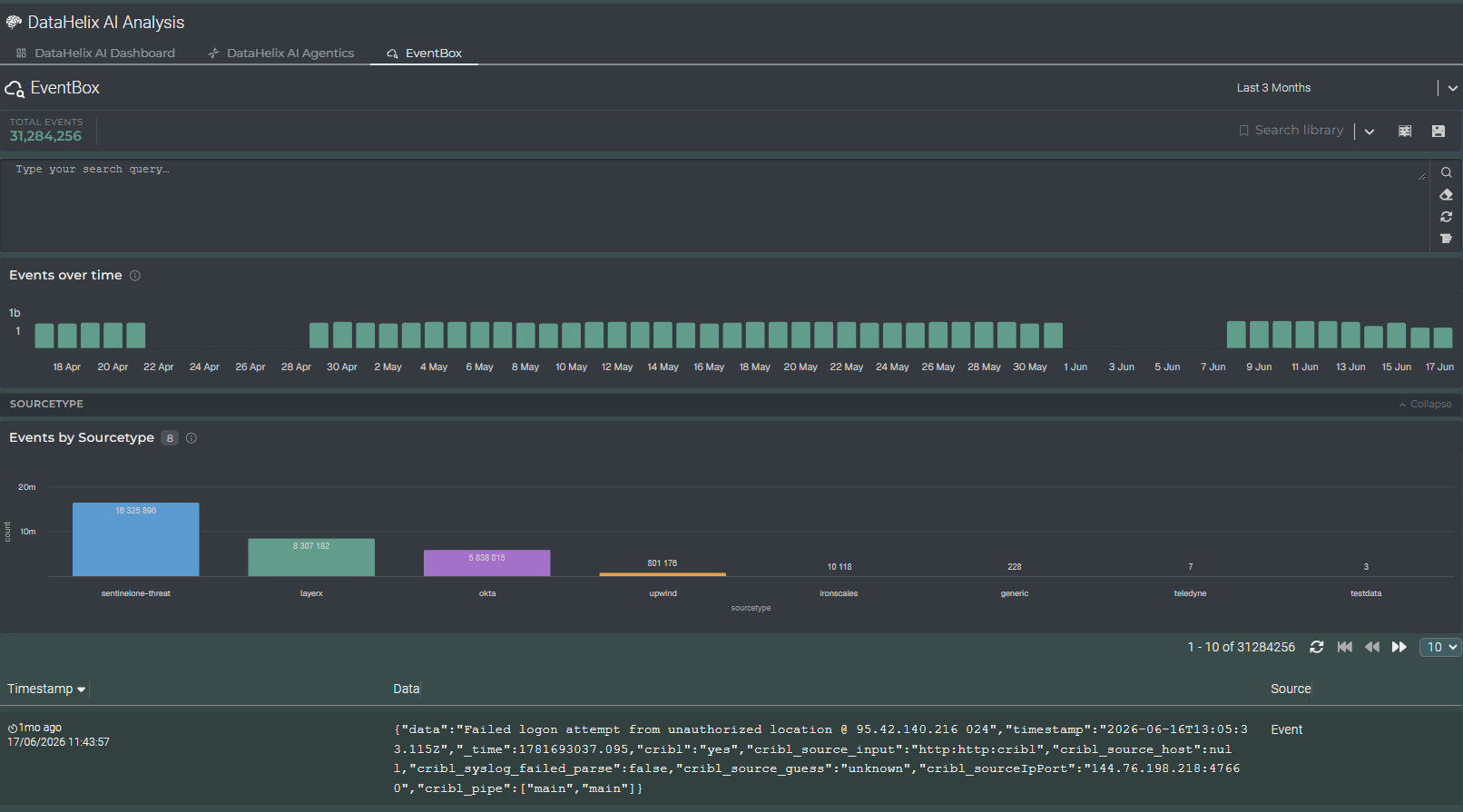
EventBox is a shared SOCAutomation interface for searching, reviewing and visualising event data. It is used within DataHelix AI and can also be surfaced in other application areas where direct access to event-level evidence is required.
Shared component
EventBox is documented as a shared component because the same interface and behaviour can appear in more than one SOCAutomation application. The breadcrumb path reflects the originating application so that navigation remains consistent for end users.
Interface Overview
EventBox is organised to support fast movement between querying, overview visualisation and event-level review. The upper section provides search and library controls, while the middle and lower sections present aggregated views and the corresponding event data.
Search and query area
Users can enter or refine search criteria directly in the query area and work with library-based search controls where configured.
Events over time
The timeline view shows the distribution of events across the selected period, helping users identify bursts, continuity and gaps.
Events by sourcetype
The sourcetype chart highlights the composition of the current event set and shows which sources are contributing most significantly.
Event table
The lower table exposes the individual records that underpin the charts, allowing detailed review of timestamp, data content and source context.
Using EventBox
EventBox is most useful when analysts need to move from summary understanding to detailed evidence review. It can be used to validate what has been surfaced elsewhere, inspect the raw or returned data and understand the event composition behind a result or alert.
Search refinement
Refine the search to narrow the event set and focus on the data most relevant to the current investigation.
Visual interpretation
Use the charts to interpret scale, timing and source composition before drilling into individual records.
Evidence review
Inspect the event table to review the returned records in detail and confirm the evidence supporting the current finding.
Shared investigative value
Because EventBox is shared, the same navigation and evidence-review principles can be applied consistently wherever it appears in SOCAutomation.
Video walkthrough placeholder
Add an embedded walkthrough for this section by inserting an <iframe> or <video> element and applying the is-visible class to this container.