CyberFlow
Sidebar: Context data
The Context sidebar displays the contents of the context data store.
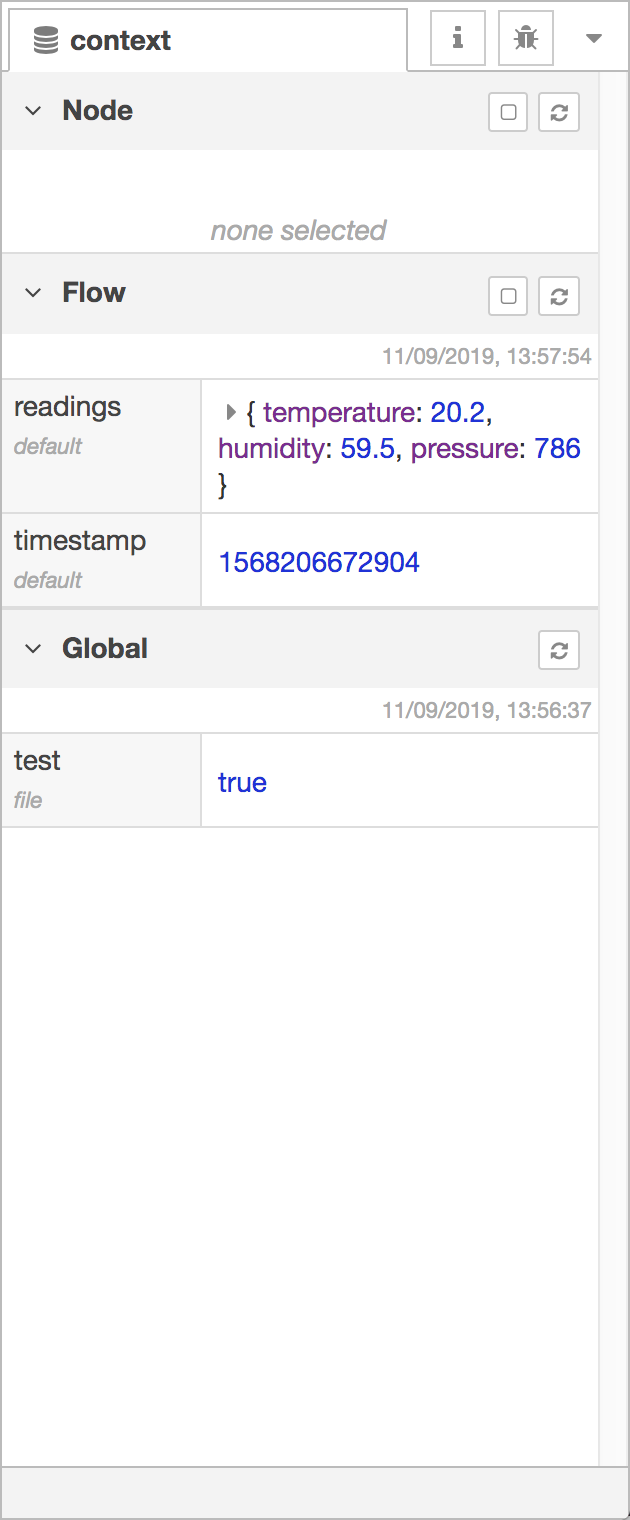
Context data Sidebar
For more information about using context, read the Working with context guide.
| Reference | |
|---|---|
| Action | core:show-context-tab |
| Key shortcut | Ctrl/⌘-g x |
The panel is split into three sections, one for each context scope; node, flow and global.
The refresh button, must be clicked to load the context contents.
The Node and Flow sections both have a checkbox next to their refresh button to turn on automatic refreshing of the contents whenever the selected node or flow changes.
Hovering the mouse over any context property name will show a refresh button that can be used to refresh just that one value.
Hovering over the value of a context property will show a button to copy its contents to the system clipboard. The value will be converted to JSON, so not all values can be copied.
Video walkthrough placeholder
Add an embedded walkthrough for this section by inserting an <iframe> or <video> element and applying the is-visible class to this container.