CyberFlow
Sidebar: Information
The Information sidebar shows information about the flows. This includes an outline view of all flows and nodes, as well as details of the current selection.
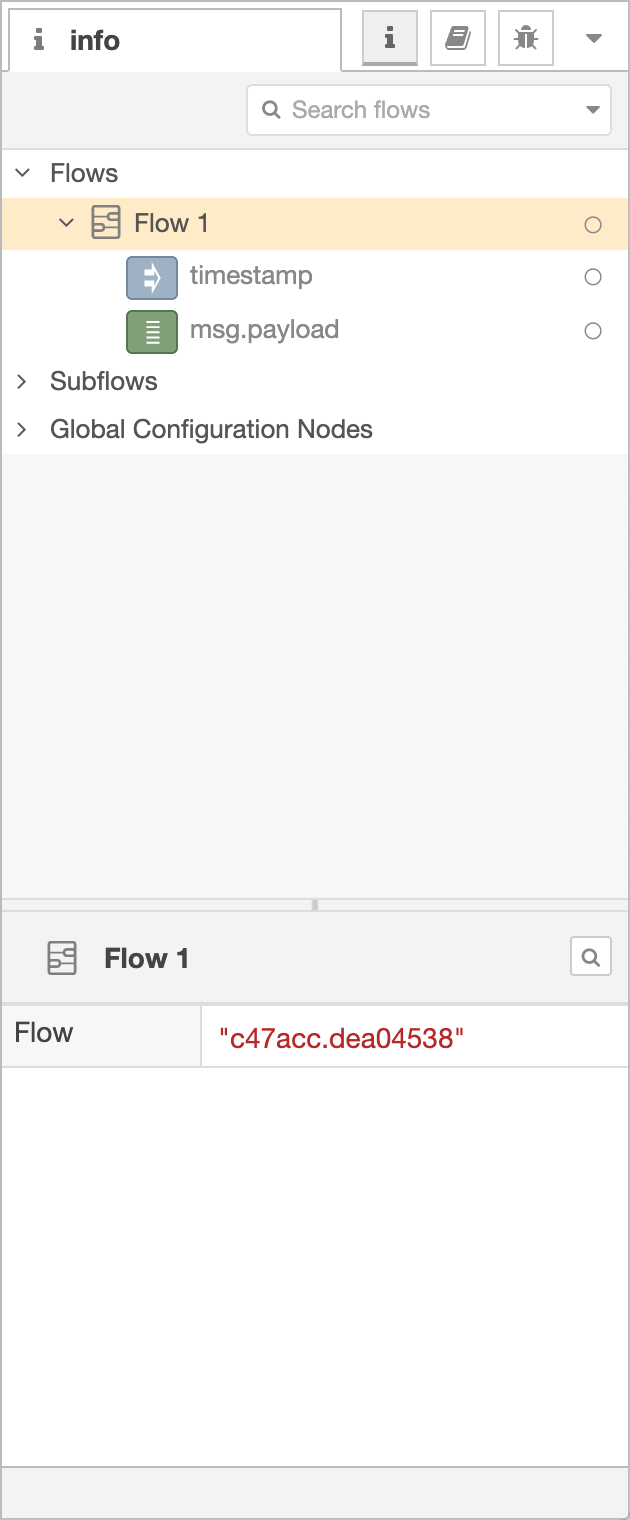
Information Sidebar
Since CyberFlow 1.1.0
The outline view can be searched using the same syntax as the main search dialog.
Hovering over an entry in the outline reveals a set of options.

Outline entry options
The button will reveal the node/flow in the main workspace.
If the node has a button, such as the Debug and Inject nodes, the button can be used to trigger that button.
The button can be used to enable or disable the node/flow.
In the bottom section of the Information sidebar, details of the current selection are shown.
This will include:
- a summary of its properties
- the user-provided description of node/flow
- a link to the node’s help
If nothing is selected, it displays the description of the current flow - which can be edited in the Flow Properties edit dialog.
| Reference | |
|---|---|
| Action | core:show-info-tab |
| Key shortcut | Ctrl/⌘-g i |
Video walkthrough placeholder
Add an embedded walkthrough for this section by inserting an <iframe> or <video> element and applying the is-visible class to this container.